Why USB Token Authentication Still Matters for Secure Remote Signing
For years, the USB token has been the workhorse of enterprise security. I remember the first time I plugged in a smart card reader and watched a PKI-based signing workflow come to life. It felt solid. The private key lived on the token and never left it. That was the whole point. But then cloud services started pushing everything into browser sessions and mobile apps, and suddenly the humble USB token seemed old-fashioned. A lot of teams began asking whether they really needed to keep carrying hardware around.
The answer is yes, they do. But not in the way you might think. The real question is not whether USB tokens are still relevant. It is how to make them work in a world where people sign documents and code from laptops, home offices, and shared workspaces. That is where the idea of remote signing enters the picture. And it changes everything about how we think about usb token authentication.
What Makes a USB Token Different from Software-Based Security
A USB token is a physical device that stores a private key inside a tamper-resistant chip. When you plug it in and enter a PIN, the token performs cryptographic operations without ever exposing the key to the computer's memory or disk. That is a fundamentally different security model from storing a key in a file, even an encrypted one. An attacker who compromises your operating system cannot steal the key because it simply is not there to steal. They can only use the token while it is plugged in and unlocked, which is a much smaller window of opportunity.
This property makes USB tokens a natural fit for two-factor authentication. Something you know (your PIN) plus something you have (the token itself). But the same hardware also serves a more specialized role in PKI workflows. An X.509 certificate stored on a token can be used for email signing, document signing, and code signing. The token becomes a portable identity that you carry with you.
The catch is that traditional USB token workflows assume you are sitting at a physical machine with the token plugged into a local USB port. That assumption breaks down when you need to sign a PDF from a remote server or when your development team is spread across three continents. You cannot pass a physical token around a distributed team. So the industry responded with software-based keystores and cloud HSMs. But those solutions move the private key away from the hardware, which defeats the entire purpose of having a hardware root of trust.
Remote Signing without Moving the Key
This is the piece that took me a while to appreciate. Remote signing does not have to mean copying the private key onto a server. It can mean keeping the key on the USB token and letting the token itself perform the signing operation from wherever it happens to be plugged in. The signing request travels over the network, but the cryptographic operation stays local to the hardware. The private key never moves.
That design preserves all the security guarantees of a hardware security module while giving teams the flexibility to sign from anywhere. A developer in Singapore can have a YubiKey plugged into their laptop, and when a build server in Frankfurt needs a code signing signature, the request can be forwarded to that token. The developer approves it, the token signs, and the signed artifact goes back to the server. The private key never leaves the YubiKey. The same principle applies to PDF signing with Adobe Acrobat or to signing Java artifacts in a Java KeyStore workflow. The token becomes a remote signing endpoint, not a local peripheral.
This approach works with a wide range of hardware. YubiKey, Gemalto, SafeNet, and many other smart card form factors all support the underlying standards. The token presents an X.509 certificate to the signing application, and the application asks the token to produce a signature. The token does the math internally. The computer never sees the private key. From the perspective of the signing software, it looks like a local token because the signing agent handles the network hop transparently.
For code signing, the implications are significant. Microsoft Authenticode requires that the private key remain under the signer's exclusive control. Moving that key to a shared build server creates a compliance risk. A hardware token that stays with the developer and signs remotely keeps the key in the right hands. The same logic applies to OpenSSL-based signing scripts and to any toolchain that expects a PKCS#11 or PKCS#15 interface. The token is just a signing device. Where it sits is less important than the fact that the key stays inside it.
Why This Matters for Compliance and Trust
Regulatory frameworks like eIDAS in Europe place strong requirements on the security of signing keys. Qualified electronic signatures must be created using a secure signature creation device, which is essentially a hardware token or smart card that meets specific criteria. Storing the key in a cloud HSM can satisfy some of these requirements, but only if the cloud provider is audited and certified. Many organizations prefer to keep the key on their own hardware, where they have direct control over the physical security and the chain of custody.
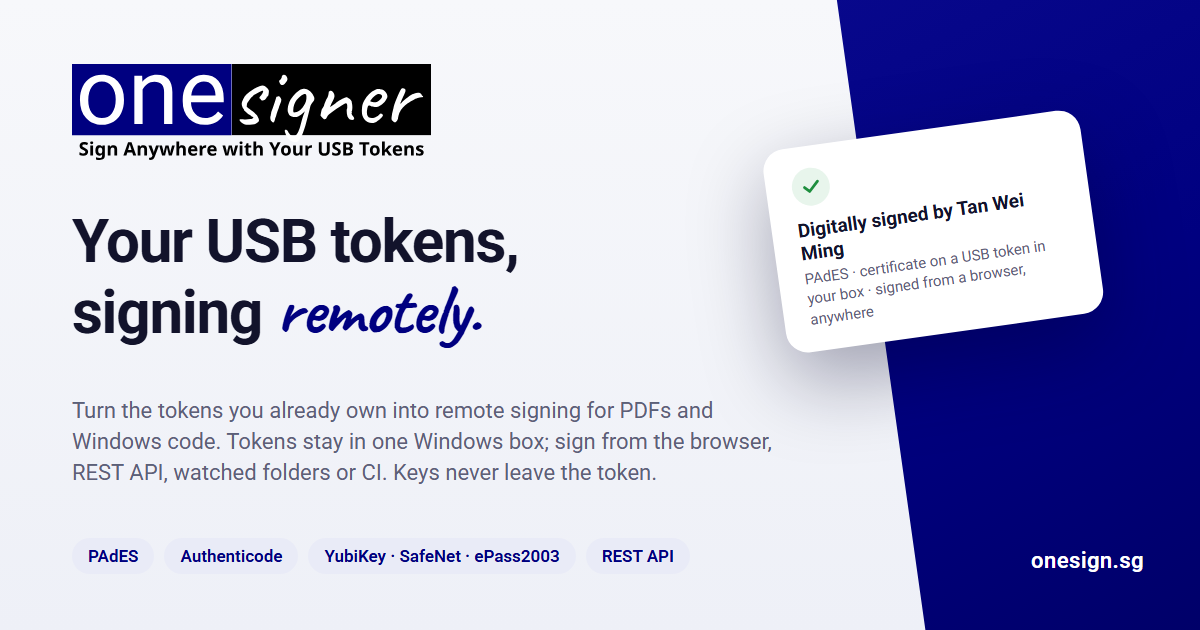
USB token authentication gives auditors a clear story. The private key was generated on the token, it never left the token, and every signature was created by the token's cryptographic engine. There is no ambiguity about whether the key could have been copied or intercepted. That level of assurance is hard to achieve with software-only solutions, even when those solutions are wrapped in encryption and access controls.
There is also a practical side. Hardware tokens are cheap. A single YubiKey costs less than a cloud HSM subscription for a year, and it can last for years. The trade-off is that you have to manage the physical distribution of tokens and handle the occasional lost device. But for teams that already have a fleet of USB tokens, the cost of switching to a remote signing model that uses those tokens is much lower than replacing them with something else.
Where USB Token Authentication Fits Today
I have seen three common scenarios where usb token authentication remains the right choice. The first is regulatory compliance. If you need to meet eIDAS, NIST, or sector-specific rules that require a hardware root of trust, a USB token is the simplest way to check that box. The second is high-value code signing. When you are signing firmware updates, mobile apps, or critical infrastructure software, the cost of a key compromise is enormous. Keeping the key on hardware reduces that risk. The third is hybrid teams. When some people work from home and others sit in an office, a token that travels with the user is more practical than a centralized signing appliance that everyone must VPN into.
None of this means USB tokens are perfect. They can be lost, stolen, or broken. They require users to manage PINs and sometimes to install drivers or middleware. And they do not support every signing protocol out of the box. FIDO2, for example, is a different standard from PKCS#11, and not every token supports both. But for the core use cases of PDF signing and code signing with X.509 certificates, the token is still the most trustworthy tool we have.
The trick is to stop thinking of the token as something that must be physically plugged into the machine doing the signing. Once you decouple the location of the token from the location of the signing request, the whole workflow opens up. A developer can keep their token at their desk and still sign builds from a remote CI server. A lawyer can keep their token in their pocket and still sign contracts from a shared terminal. The token stays in their control, and the private key stays in the token.
Making the Switch Practical
If you already have a stack of USB tokens from vendors like SafeNet or Gemalto, you do not need to throw them away to adopt remote signing. Most of them support the same cryptographic interfaces that newer tokens do. The missing piece is a signing agent that can forward signing requests to the token over a network connection. That agent communicates with the token locally and returns the signature to the remote application. The application never touches the private key. It only sees the signed result.
For teams using OpenSSL or the Java KeyStore, the integration is usually straightforward. The token exposes a PKCS#11 module, and the signing agent wraps that module in a network service. The application talks to the agent over TLS. The agent talks to the token over the local USB bus. The token signs, and the signature flows back. No keys move. No hardware is replaced.
I have seen this work with Adobe Acrobat for PDF signing, with Microsoft Authenticode for Windows executables, and with custom signing scripts that call OpenSSL directly. In every case, the token stays with the user, and the user stays in control. That is the core promise of usb token authentication. It is not about dragging a piece of plastic from desk to desk. It is about anchoring trust in hardware that you own and operate, even when the signing itself happens somewhere else.